Mapping your relationships and dependencies is a key part of your NIS2 journey. After all, you must have insight into the parties and systems your organisation depends on and be able to demonstrate the risks in your supply chain. This allows you to maintain control over your suppliers and provides insight into your chain resilience.
Each relationship is assigned a type based on the role the party plays in processing personal data. This type partly determines which obligations and documents apply.
Data subjectSub-processorData controllerJoint controllerProcessorRecipientManufacturerSupplierOther
Sharing within a group
Is your organisation part of a group with multiple entities? Then you can share relationships between the different components, so you do not have to record the same relationship information twice.
Sharing relationships between group entities
You can configure exactly how sharing relationships between entities within a group works in Group Management.
For each relationship, you record a complete picture, from address details to linked contacts.
The companies shown as examples in the system are for illustrative purposes only.
Address details
Registered office address and other address details of the relationship.
Notes
Notes and context relevant to this relationship.
Files
Such as contracts and other documents belonging to the relationship.
Processing activities
The processing activities from your processing register in which this relationship is involved.
Infrastructure systems
The infrastructure and systems used by or for this relationship.
Contacts
The individuals at this relationship who can be involved in agreements.
Linked to other features
A relationship does not stand alone. These three points show where else you can go.
Contacts and data processing agreements
The contacts of a relationship are particularly important for generating data processing agreements.
Signed by authorised contacts You enter into a data processing agreement with the authorised signatory of your own organisation and with that of the relationship. You can configure who is authorised to sign in Contact Management.
For relationships acting as a processor or sub-processor, you want to be able to demonstrate that they have their affairs in order.
Linking third-party audits to a relationship You record and manage completed and planned audits for this relationship via the (Third-party) Audits feature, part of Information Security.
In which infrastructure systems is this relationship involved?
In addition to linking infrastructure systems to a relationship, you can also see at a glance which infrastructure systems this relationship plays a role in, for example as a supplier or administrator.
Overview via Asset Management The full overview of infrastructure systems and assets, including which relationships are involved, can be found in Asset Management, part of Information Security.
Not every data processing agreement needs to be generated automatically.
Do you already have a data processing agreement with a relationship? Upload it and link it directly to the relevant relationship, so everything is clearly organised in one place.
This is what a relationship looks like
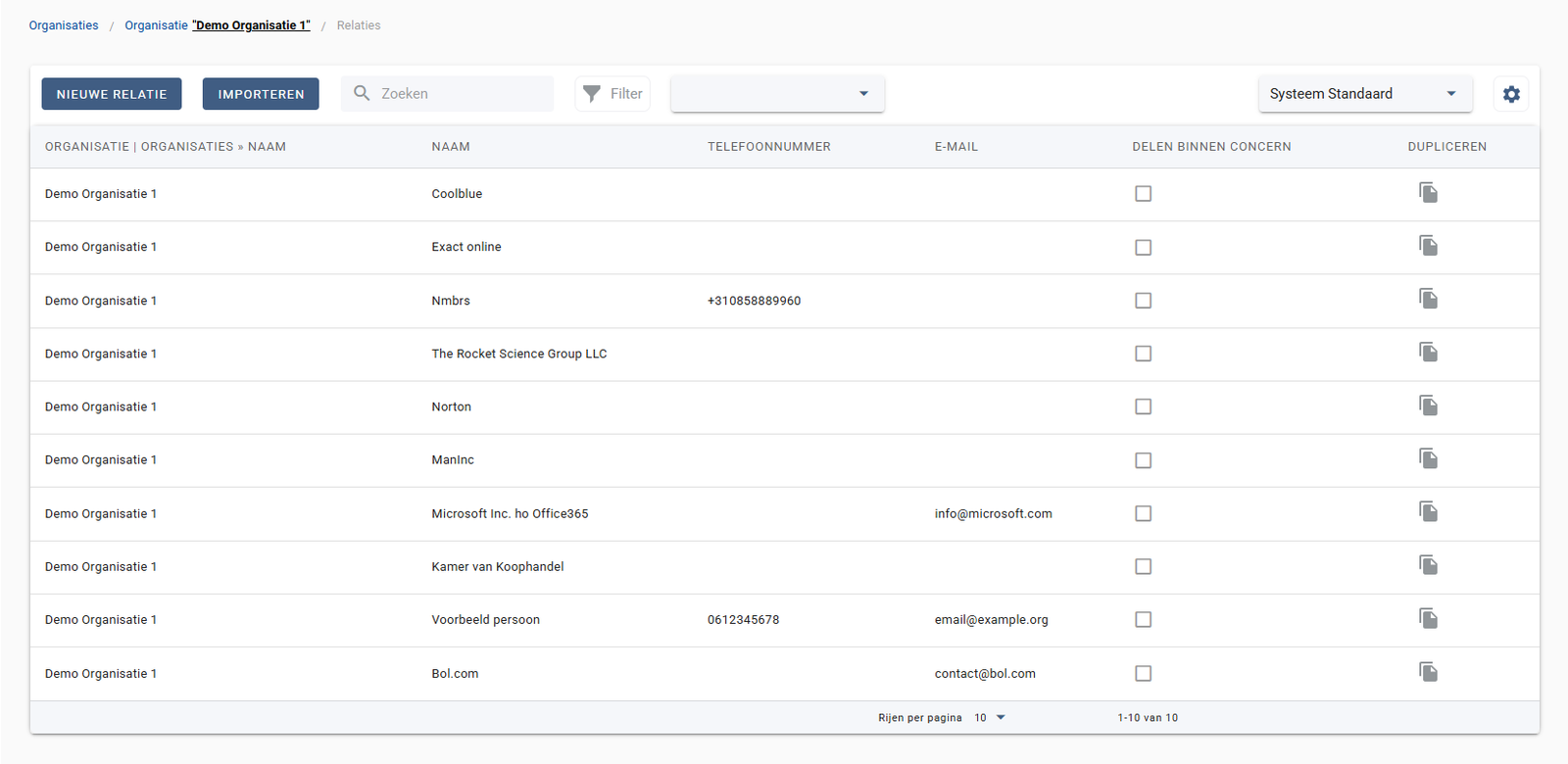
A screenshot of a relationship overview: Organisation, name, phone number, email, sharing within a group in one overview.
A relationship within the NIS2 Management System, with all linked information.